
Is Your Organization Ready for Microsoft ISOC?
- Read-Only Assessment
- Configuration Data Only
- Report in Minutes
Find out where your Microsoft 365 environment stands with a free, automated assessment. Understand your eligibility for Microsoft’s Integrated SOC in Defender (ISOC), uncover security gaps, and explore potential Microsoft Sentinel cost implications.
- Next: Authorize your Microsoft tenant assessment
What Your Report Covers
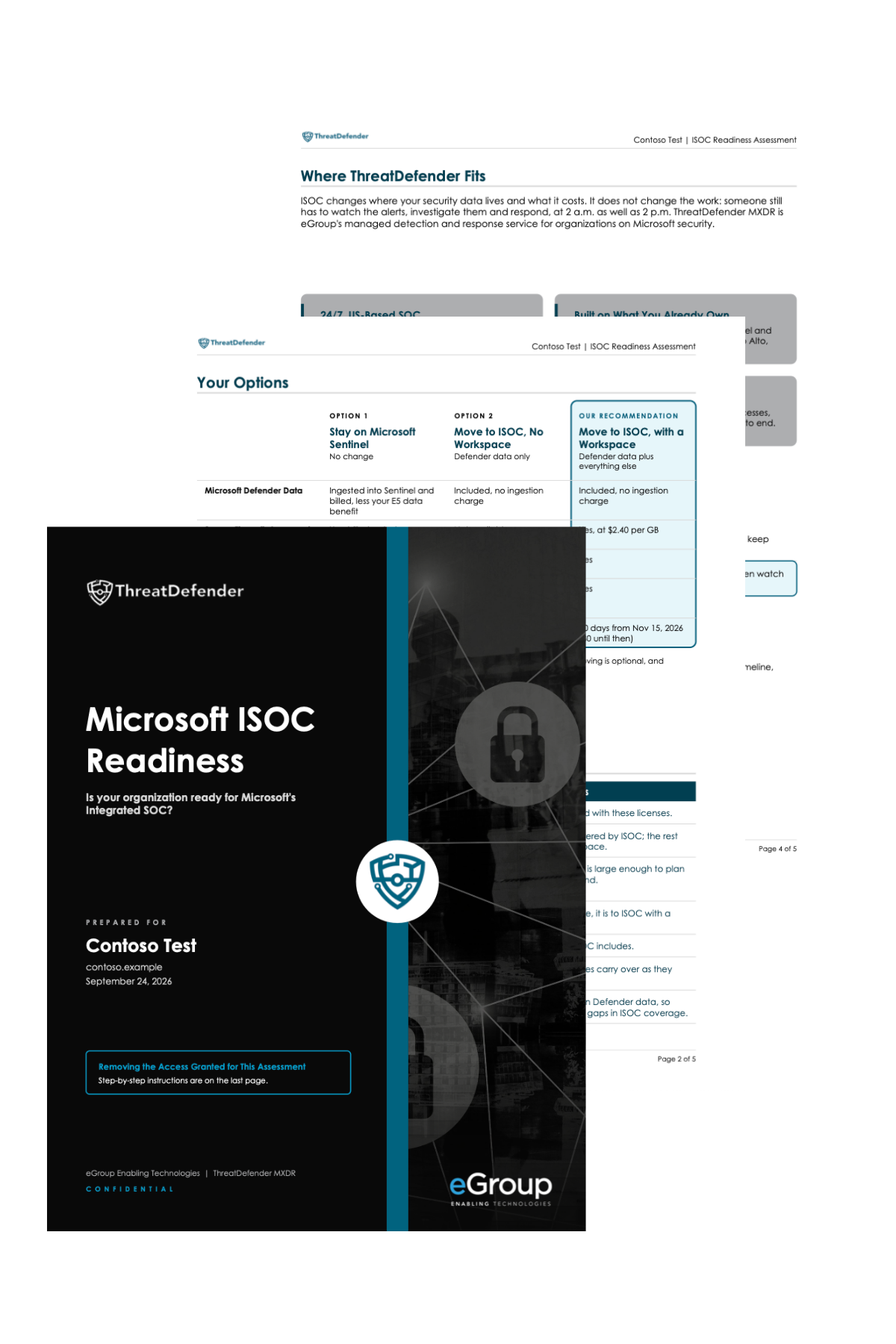
Get a downloadable PDF report based on your Microsoft 365 tenant’s licensing, security configuration, and relevant usage data. Each finding is supported by information from your environment, with eGroup’s recommendations to help you plan your next steps.
Eligibility Verdict
Find out whether your current Microsoft licensing qualifies for ISOC now, after November 15, or not yet, with recommended next steps for each scenario.
Readiness Score
See how your environment measures up across six areas: licensing, Defender deployment, security configuration, data, detections, and operations.
Security Gaps and Priorities
Identify gaps in Microsoft Defender coverage and configuration, uncover Secure Score improvement opportunities, and prioritize findings based on their potential impact.
Microsoft Sentinel Cost Comparison
If you're using Microsoft Sentinel, compare your current ingestion costs with the ISOC model using your environment's actual data volumes.
No software installation or manual security questionnaires required. Complete the form, authorize read-only access, and receive an assessment based on your Microsoft environment.
Complete the short form to begin your free ISOC Readiness Assessment.
Use your Microsoft work account to authorize the assessment. Administrator approval may be required, depending on your permissions.
The automated assessment checks Microsoft licensing, Defender settings, and Sentinel configuration where applicable. Only configuration details, settings, and counts are accessed, with progress displayed as the scan runs.
Receive your PDF report with eligibility findings, readiness scores, security gaps, and recommended next steps. You can download it immediately and receive a copy by email.
Your Data, Your Control
The assessment uses read-only permissions to review your Microsoft environment without modifying settings or accessing your email, files, or log content.
No Environment Changes
Read-only permissions protect your existing configurations.
No Retained Access Tokens
Access tokens are not retained after your assessment is complete.
Configuration Data Only
The assessment reviews licensing, security settings, and configuration data without accessing your emails, files, calendar events, or log content.
One-Hour Report Retention
Your generated assessment report is automatically removed from the application's temporary Azure storage after one hour.
Start Your Assessment
See Where Your Microsoft Environment Stands
Get a clearer picture of your ISOC eligibility, Defender readiness, and Microsoft Sentinel cost considerations.
What Permissions Do You Need?
A Global Administrator can approve and run the assessment in one step.
If you’re not a Global Administrator, an administrator must first approve the application. Once approved, you can complete the assessment using Global Reader or Security Reader permissions.
To include Microsoft Sentinel in the assessment, you’ll also need Azure Reader permissions.
- Next: Authorize your Microsoft tenant assessment
