

AI is changing more than how teams generate slides. With a clear spec, secure data foundation, and defined business rules, teams can build purpose-built tools that fit how they actually work.
I built a PowerPoint in under 30 minutes, and I’ll probably never go back.
Specifically, I built a presentation engine in my colors, with my narrative arc, that would behave the way I actually present. I wrote down what that meant, handed the description to an AI agent, and 30 minutes later, I was demoing it to myself.
That sentence used to require a follow-up about how unbelievable AI is. It doesn’t anymore. What’s interesting is what happens when you stop accepting the constraints a tool imposes and describe what you actually want
Why PowerPoint Became The Constraint
I’ve been giving presentations as a core part of how I work and lead for decades. PowerPoint getting in the way has been quietly bothering me for years. Not that it’s a bad app, but you spend so much time wrestling with its tools because it needs to be flexible to support all use cases.
The default behavior of the tool is to produce bullet lists. The default templates fight whatever argument I’m trying to make. Building a chart that reads cleanly takes the same amount of time as making it in Excel, screenshotting, and pasting it in. Sharing means a 40-megabyte attachment or a one-way SharePoint link, and neither one is good. Every new deck starts as a copy of the last one, inheriting whatever mistakes I rushed past on the prior project.
The Branding Problem
The piece that broke me on it, though, was branding. Updating one accent color across our deck library means opening a Master Slide and praying. Multiplied across 30 active sales decks, that’s an afternoon nobody has. Not to mention all the 0.1mm alignment tasks.
Writing The Spec For An AI Agent
I knew what I wanted. I knew it only needed basic features. I spec’d it out in a prompt by chatting with Copilot Cowork. The kind that would let a senior engineer build the thing without coming back with a hundred questions. I codified our brand: hex values, fonts, and logo placement. I wrote down the ten slide patterns I actually use, which are backed by research and engagement statistics. I included the research-backed rules I want every deck to follow: one idea per slide, around 30 words max, attention resets every eight to ten minutes, and assertion-evidence headlines instead of topic labels. I told it where the proof points lived: which CRM fields, which success-story library, which telemetry views.
Then I handed it to an AI agent and went to make coffee (well, refill the coffee).
What The AI Presentation Engine Built
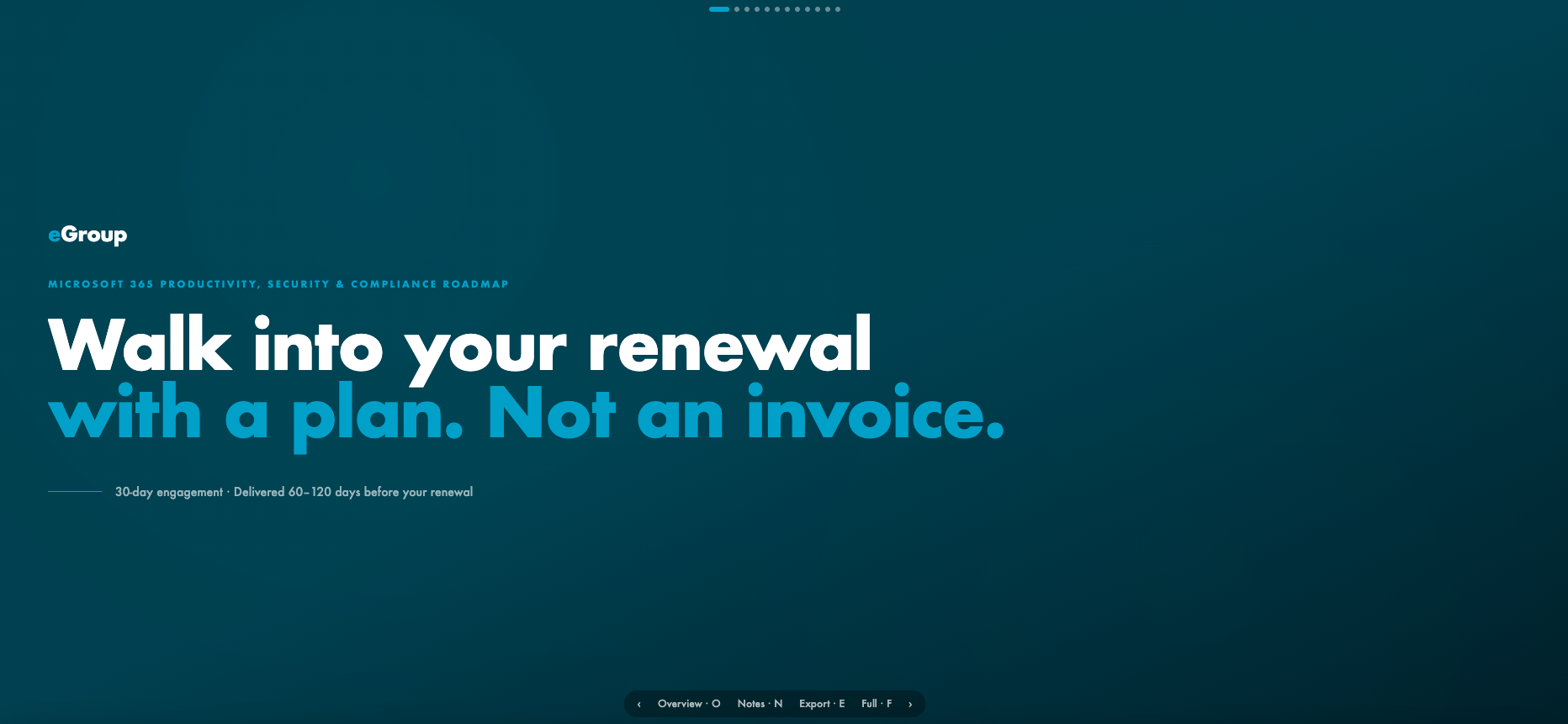
What came back, half an hour later, was a presentation engine. Browser-based. Full-screen. Speaker notes built in. A slide overview grid for jumping around in front of an audience. Keyboard navigation, touch swipe on a tablet, and dot indicators for the room. A print stylesheet that produces a clean PDF. The export button that surprised me most: turn any deck into a single self-contained HTML file. Email it, AirDrop it, double-click, and the deck runs offline anywhere. I asked it to create two decks from chat history and the content we’ve been working on. This was the launch page. Beautiful, flexible, full-screen experience with standard controls.
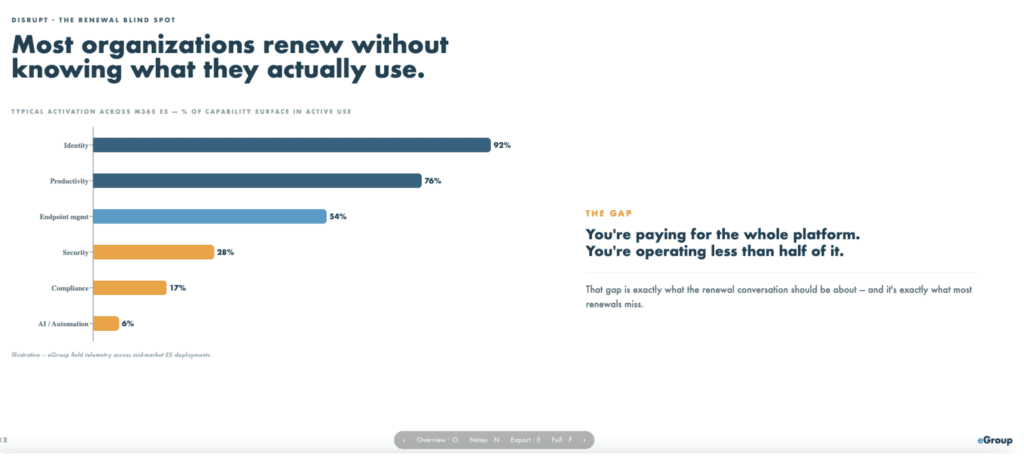
This was the second page it created. Insights into actual Microsoft 365 adoption from past experience. Now, some of the content here, like the word “Disrupt,” is not necessary. The em-dash is something I’d actually type, but unfortunately, I can’t do that anymore. However, the real thing is that these statements are 100% true. Organizations renew under pressure without a plan, more often than not. They also have a bunch of shelfware they haven’t been able to put into production. That is the challenge we solve with this engagement. At least one of them.
The Medium Is No Longer The Constraint
The reason I’m telling you this isn’t about M365 roadmaps, it’s that a shift in thinking on how you leverage AI tools can create incredible results. In this case, the medium is no longer the constraint. The 30-minute build is real, and it’s the smaller observation. We have AI that can build the medium itself, on demand, against a spec we trust. Once that’s true, the smart move is obvious. Reach out if you want the prompt. Happy to share.
Don’t struggle with PowerPoint. Build what you need. Purpose-built. Real-time. With your data as a foundation.
What Purpose-Built Presentations Change
Purpose-Built
Purpose-built means the deck is for one room, one moment, one argument. Generic templates serve nobody well. The version of my pitch that lands with the C-Suite is different from the one that lands with an IT Manager, and the cost of producing both used to be high enough that I’d send the closer one and hope it was good enough. Now I can build, organize my point, and transform it to be genuinely more useful to my audience. Isn’t that the point? Presenting information to be helpful? Well, making it more relevant to their context does just that.
Real-Time
Real-time means the presentation reflects what’s true today. Pricing changed last week. The case study from your latest go-live closed on Tuesday. The customer in row six just signed a renewal. The deck should know that when I open it. Brand template change? Wow, no big deal anymore. “Rebuild all my decks to the current version”.
Your Data As A Foundation
Your data as a foundation means the deck pulls from systems of record. Your CRM. Your telemetry. Your success-story library. The argument is still yours. The proof points should be live. However, to be able to do this, you must address foundational security, data security, and compliance requirements. That is why you go through that work. So your employees can wow their customers with better experiences.
The Spec Is The Strategy
The harder part, and the part most people stop short of, is writing the spec. The AI didn’t design my deck for me. I told it the rules. It executed against the rules. The argument, the colors, the pacing, the proof, the choice of what slide to show the CFO and what slide to skip, those are mine. The AI moved the labor I never wanted to do, the formatting, the export, the keyboard handling, and the PDF stylesheet, off my plate. Don’t offload your ideas to AI. Tell AI your ideas and iterate over them to make them executable. Then offload the labor.
If you build presentations to sell, lead, or teach, the question worth sitting with this week is what you would ask for if the medium did exactly what you described.

Build AI That Works For Your Business
eGroup helps organizations turn AI ideas into secure, practical workflows grounded in real data, governance, and business outcomes.